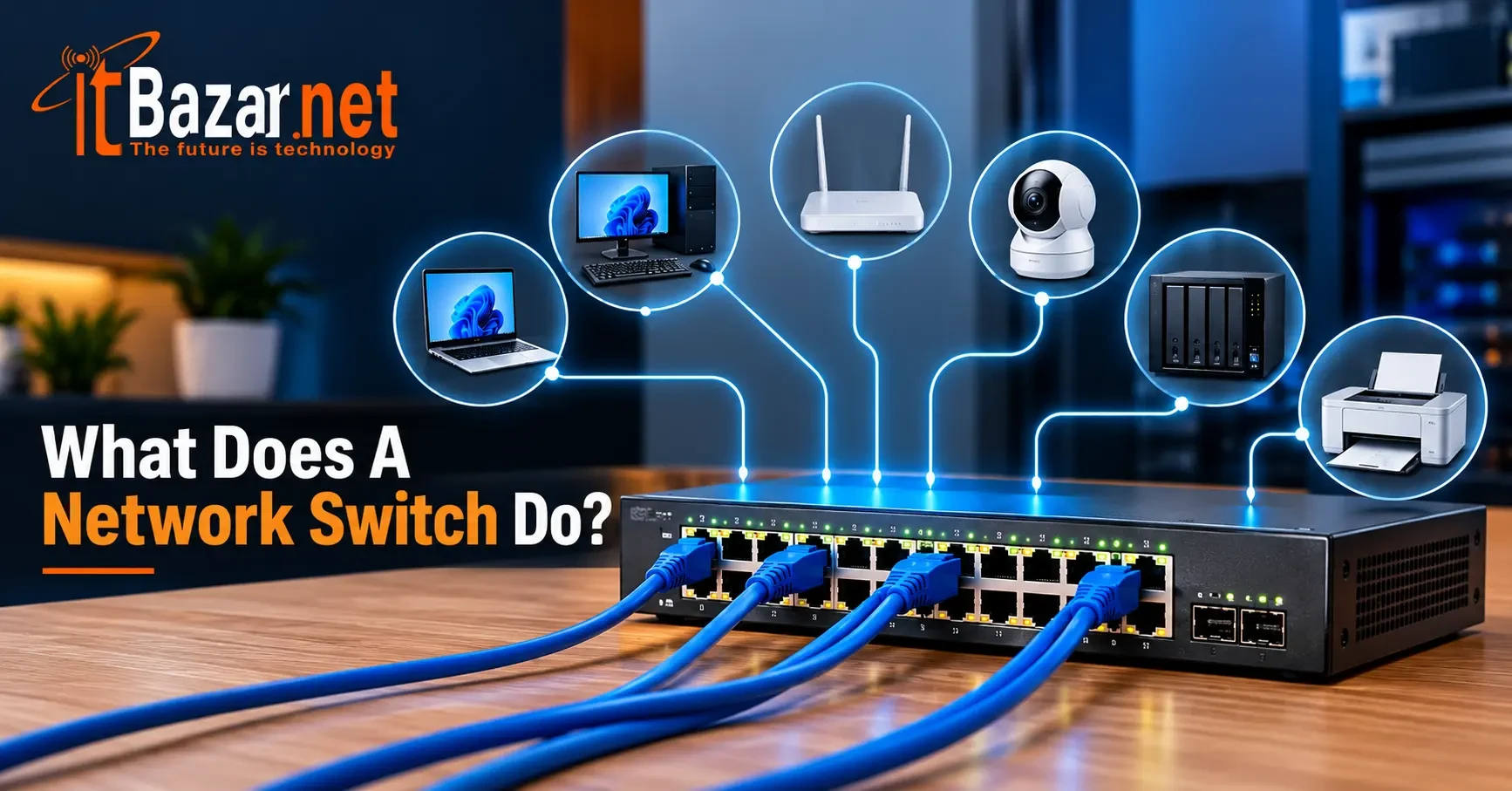
What Does A Network Switch Do? A Comprehensive Guide
A network switch connects computers, printers, servers, access points, and other wired devices within a local area network (LAN). It lets them talk to each other and share resources.
Unlike a hub, a switch doesn’t repeat data out of every port. It reads the destination address in each Ethernet frame. Then it forwards the frame only to the port where the intended device is connected. This means many devices can exchange data at the same time without interfering with one another. The result is a network that is faster, more efficient, and harder to eavesdrop on.
So what does a network switch do, and how does it work? In this blog, we’ll explain how a network switch functions, its types, benefits, usage, and how to choose the right one. Let’s take a closer look.
What Does a Network Switch Do?
A network switch connects multiple wired devices within the same local area network. It receives data from one connected device and forwards it to the correct destination using the device's MAC address.
For example, when a computer sends a document to a network printer, the switch directs the data to the printer's port instead of sending it to every connected device. This helps reduce unnecessary network traffic and makes communication more efficient.
Network switches are commonly used to connect computers, printers, servers, access points, and other Ethernet-enabled devices. They expand the number of wired connections available and help devices communicate within a network.
How Does a Network Switch Work?
A network switch connects devices on a local area network (LAN). It then forwards data to the correct destination. It uses MAC addresses to identify devices and determine which port should receive the data. The core process includes:
⏹ Identifying Connected Devices
When any device sends an Ethernet frame, the switch reads its source MAC address and records which port the frame arrived on. It uses this information to build a MAC address table.
⏹ Forwarding Data
The switch compares the destination MAC address with the data in its MAC address table. If the address is known, it forwards the frame through the port connected to that device.
If the destination address looks unfamiliar, the switch forwards the frame through the other ports in the same VLAN, excluding the port where it arrived. Broadcast frames are also forwarded within the relevant VLAN.
⏹ Reducing Network Traffic
A switch forwards known unicast traffic only to the port connected to the destination device. This reduces unnecessary traffic and helps devices communicate efficiently.
⏹ Layer 2 and Layer 3 Switching
Most standard Ethernet switches operate at Layer 2 of the OSI model, using MAC addresses to forward Ethernet frames. Layer 3 switches can also route traffic between different IP networks, such as separate VLANs.
What Are the Different Types of Network Switches?
Network switches come in several types, each designed for different networking needs. The switches are:
▶ Unmanaged Switches
An unmanaged switch works automatically without requiring configuration. You simply connect your Ethernet devices, and the switch begins forwarding traffic.
These switches are suitable for homes, small offices, and basic networks where advanced monitoring or traffic management is unnecessary. They are affordable, and you can install them easily.
▶ Managed Switches
A managed switch provides greater control over network traffic and configuration. Administrators can use features such as VLANs, Quality of Service (QoS), traffic monitoring, and port security, depending on the model.
Managed switches are useful for businesses, larger offices, and networks that need stronger traffic control or more detailed troubleshooting.
▶ Smart or Web-Managed Switches
Smart switches offer some management features but usually provide less flexibility than fully managed models. They often support basic VLAN configuration, QoS, and web-based administration. They are suitable for small businesses that need more control than an unmanaged switch provides.
▶ PoE Switches
A Power over Ethernet (PoE) switch supplies both data and electrical power through a compatible Ethernet cable. This allows devices such as wireless access points, IP cameras, and VoIP phones to operate without separate power adapters, provided their power requirements are supported.
When choosing a PoE switch, check its supported PoE standard, per-port power limits, and total power budget.
▶ Layer 3 Switches
A Layer 3 switch combines traditional switching with IP routing capabilities. It can forward traffic between different VLANs or IP subnets, often at high speeds.
These switches are commonly used in business and enterprise networks where devices need to communicate across multiple network segments.
What Are the Benefits of Using a Network Switch?
A network switch offers several essential benefits for homes and businesses. Common benefits include:
✔ More Ethernet Connections
A network switch expands the number of wired connections available on your network. It is useful when your router does not have enough LAN ports for all your computers, printers, gaming consoles, and other Ethernet-enabled devices.
✔ Efficient Network Traffic Management
A switch forwards known unicast data to the appropriate destination port instead of sending it to every connected device. This reduces unnecessary traffic and helps devices communicate efficiently within a local network.
✔ Reliable Wired Connectivity
A wired Ethernet connection can provide stable, consistent performance for desktop computers, gaming consoles, servers, and other devices. It can also reduce interference and connection fluctuations associated with wireless networks.
✔ Support for Advanced Networking Features
Some network switches offer features such as VLANs, Quality of Service (QoS), and Power over Ethernet (PoE). VLANs help separate network traffic, QoS can prioritize certain types of traffic, and PoE supplies power to compatible devices through Ethernet cables.
✔ Easy Network Expansion
A network switch makes it easier to add more wired devices as your network grows. You can also connect multiple switches to expand the number of available ports, provided the network is configured appropriately.
✔ Improved Internet Performance
A network switch does not automatically increase your internet speed. However, replacing an outdated or bandwidth-limited switch with a faster model can improve performance when the existing switch is a bottleneck. Actual speeds also depend on the internet plan, the router, Ethernet cables, and connected devices.
Where Are Network Switches Used?
Network switches are used in homes, offices, and large organisations to connect devices within a local area network (LAN). They help devices communicate efficiently and share network resources. Common usage includes:
◻ Home Networks
In homes, network switches connect desktop computers, smart TVs, gaming consoles, network storage devices, and wireless access points. They are particularly useful when a router does not have enough Ethernet ports for all the wired devices.
◻ Office Networks
Offices use network switches to connect employee computers, printers, VoIP phones, servers, and wireless access points. Managed switches can also separate devices into different virtual local area networks (VLANs) to improve network organization and traffic control.
◻ Data Centres
Data centers use high-capacity switches to connect servers, storage systems, and other network-enabled equipment. These networks require high bandwidth, low latency, and reliable connections to handle large volumes of data.
◻ Schools and Universities
Educational institutions use network switches to connect computer labs, administrative systems, printers, and wireless access points. They help support communication and network access across classrooms, libraries, and campus buildings.
◻ Hospitals and Healthcare Facilities
Hospitals use network switches to connect computers, servers, medical systems, and other networking equipment. Depending on the application, they may require managed features, network segmentation, and reliable connectivity.
◻ Hotels and Industrial Facilities
Hotels use switches to connect access points, computers, security cameras, and other network devices. Industrial facilities may use specialized switches to connect control systems, sensors, and monitoring equipment, including devices operating in demanding environments.
How to Choose the Right Network Switch?
Choosing the right network switch depends on several factors. Consider the following factors to find a switch that meets your needs:
✔ Number of Ethernet Ports
Start by counting the wired devices you need to connect. Choose a switch with enough ports for your current devices and leave some room for future expansion. Common options include 5-port, 8-port, 16-port, 24-port, and 48-port switches.
✔ Network Speed
Choose a switch that supports the network speeds your devices require. Gigabit Ethernet supports up to 1 Gbps per port, while 2.5GbE and 10GbE switches offer higher speeds for demanding networks.
Your connected devices, Ethernet cables, and other network equipment must also support the desired speed to achieve it.
✔ Managed or Unmanaged Switch
An unmanaged switch is suitable for basic home networks and small offices because it works without requiring configuration. A managed switch is a better choice if you need features such as VLANs, Quality of Service (QoS), traffic monitoring, and advanced network controls.
✔ Power over Ethernet (PoE) Support
If you plan to connect IP cameras, wireless access points, or VoIP phones, consider a PoE switch. It supplies both data and power through a compatible Ethernet cable.
Check the power requirements of your devices, the switch's supported PoE standards, and its total power budget before buying.
✔ Installation and Environment
Consider where you plan to install the switch. Compact desktop models work well in homes and small offices, while rack-mounted switches are often suitable for server rooms and larger business networks.
Also, check whether the switch has a fan, how much power it consumes, and whether its design suits the installation environment.
✔ Budget, Warranty, and Support
Compare prices based on the features and performance you actually need. Check the warranty, manufacturer support, and product reliability before making your decision.
Final Words
So what does a network switch do? A network switch connects multiple wired devices and directs data to the appropriate destinations within a local network. It helps computers, printers, servers, and other Ethernet-enabled devices communicate efficiently.
For a basic home network, an unmanaged switch may be all you need to add more Ethernet ports. Larger businesses may benefit from managed switches, PoE support, or Layer 3 routing capabilities.
Before buying a switch, consider choosing a switch based on your device count, required speed, and network needs. The right model can help you build a more reliable and organized network.
Frequently Asked Questions About Network Switches
What does a network switch do in simple terms?
A network switch connects devices on a local area network and forwards data to the correct destination. It allows multiple devices like computers, printers, and servers to communicate and share resources.
Do I need a network switch for my home network?
You need a separate switch if your router lacks enough Ethernet ports for your wired devices. Otherwise, you may not need one.
Does a network switch make the internet faster?
Not automatically. A faster switch can improve performance if your existing switch limits network speeds.
Can a network switch work without a router?
Yes. A switch can connect devices on a local network without a router, but internet access typically requires a router or another routing device.
How many devices can connect to a network switch?
It depends on the number of ports. An 8-port switch provides eight connections, but using one port to connect to a router leaves seven for other devices.
What is the difference between a managed and unmanaged switch?
An unmanaged switch works automatically, while a managed switch offers advanced features such as VLANs, QoS, and traffic monitoring.
Can I connect two network switches together?
Yes. You can connect two switches using an Ethernet cable to add more network ports. Ensure the connection is compatible and properly configured.


 PC Builder